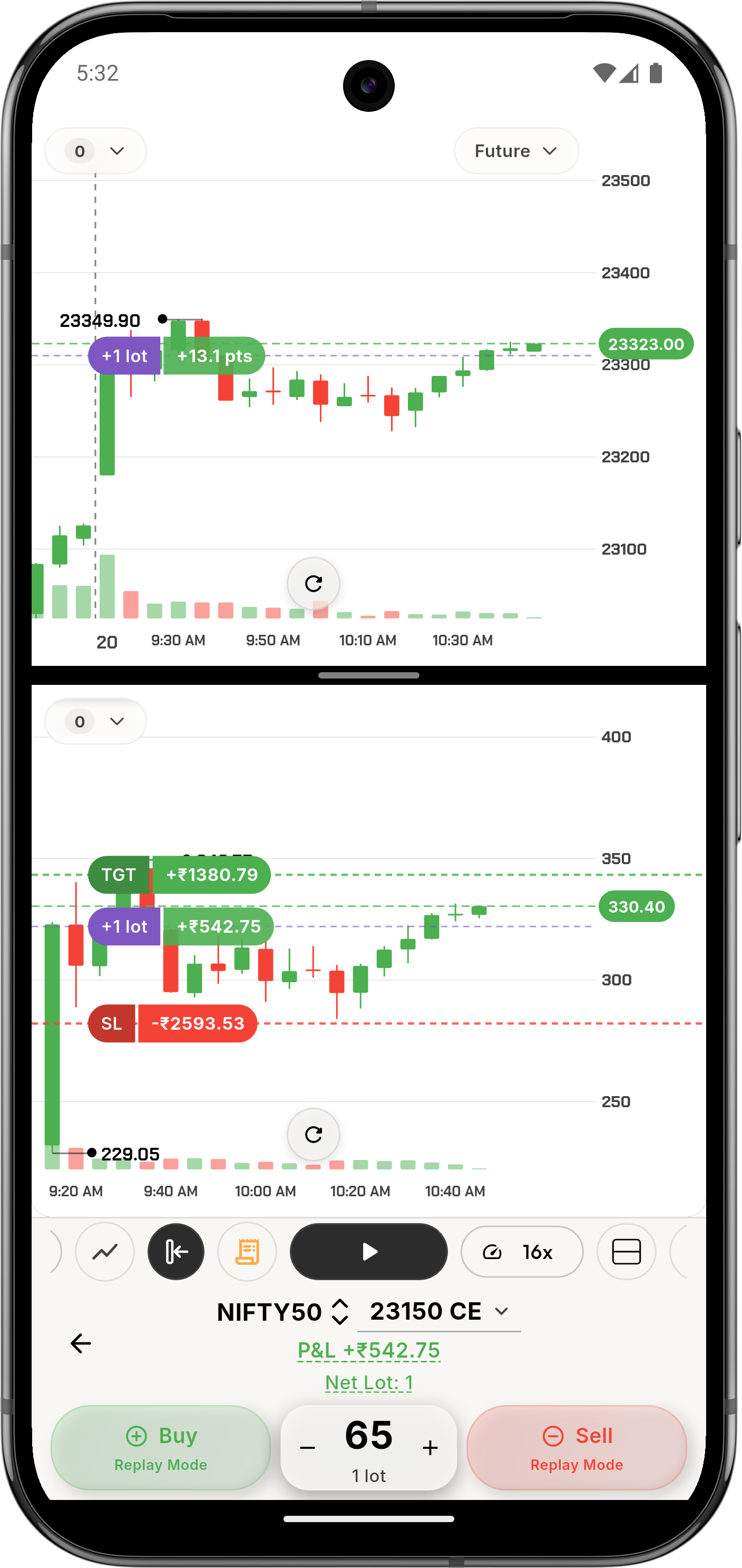
ZeroStake features for chart-based practice, replay, and review.
ZeroStake connects reading the market, chart-first execution, replay, and review so the
practice session still teaches something after the trade is over.
Trade on Chart, Replay Trading, and review in one place
Today’s Market, ADR, Heatmap, Global Indices, FII DII, and Option Chain before entry
Free to start, with chart-level Pro controls when you want tighter risk control
Simulator only. ZeroStake does not place real trades.
From setup to review
Choose the feature that matches what you want to improve.
Each tab shows a different part of ZeroStake, from reading the market to reviewing
the outcome.
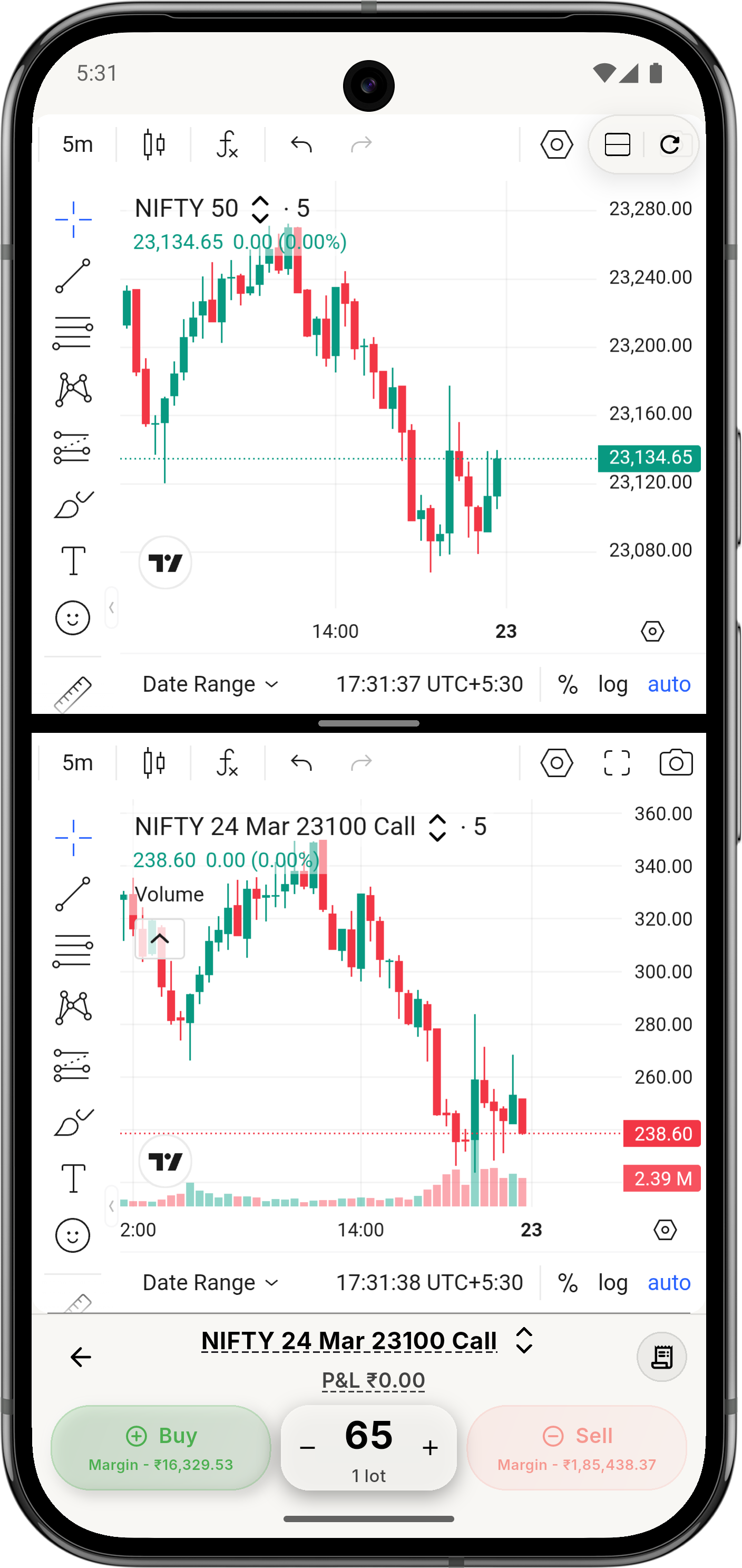
Trade from the chart while the setup is still visible.
This is where ZeroStake stands out: the chart stays open while you place the
simulated trade, and Pro lets you set limit, stop, target, and trailing stop on
the same screen.
Chart-first practice: Keep price structure, AVG, lots, and running simulated P&L in one frame.
Pro control: Set limit, stop, target, and trailing stop without leaving the chart.
Trade on ChartSL, TGT, TSL
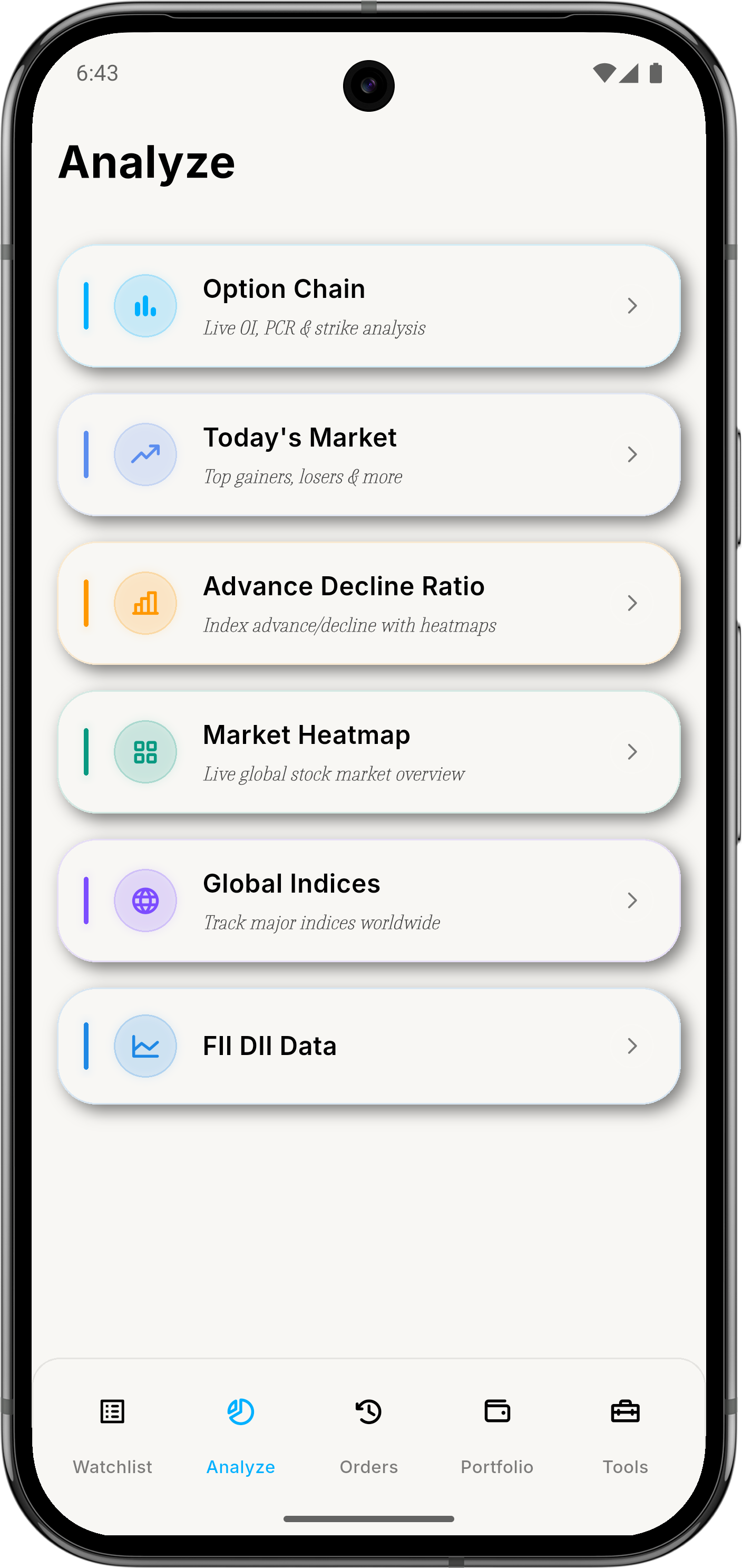
Read the market before you touch the chart.
Today’s Market, Advance Decline Ratio, Market Heatmap, Global Indices, FII DII
Data, and Option Chain give you a clearer view of the market before you trade.
Read the market: Use movers, breadth, heatmaps, and global context before entry.
Options context: Option Chain keeps OI, PCR, and strike context close to chart execution.
Today’s MarketADROption Chain
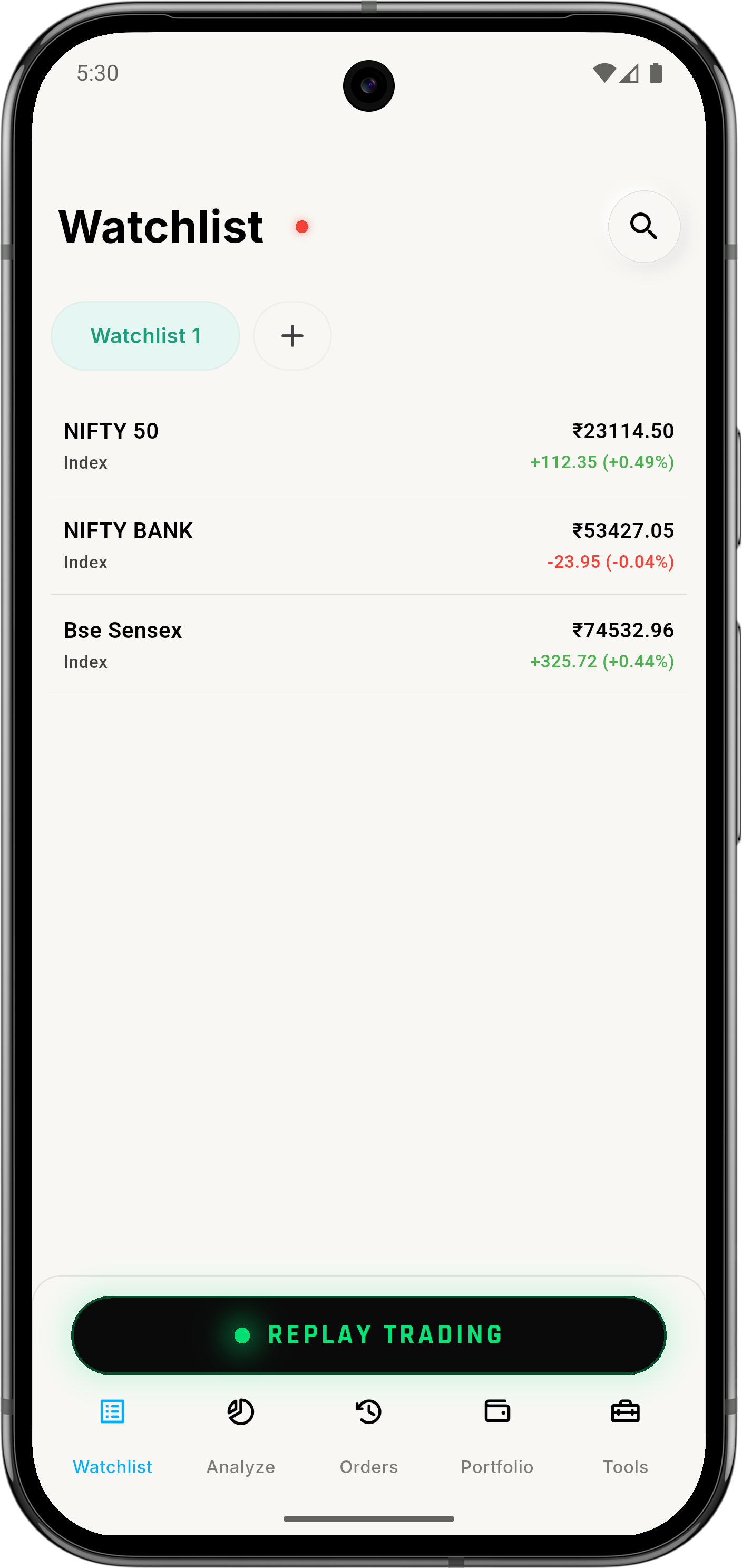
Keep the workspace clean when more ideas start competing for attention.
Watchlists, stock details, and quick handoff into charts or analysis keep the
workspace easy to scan. Pro expands this to up to 10 watchlists with room for
more symbols when one list is no longer enough.
Track the setup: Hold names or indices worth following before the trade.
Separate boards: Keep index ideas, active setups, and review lists cleaner in Pro.
WatchlistUp to 10 watchlists
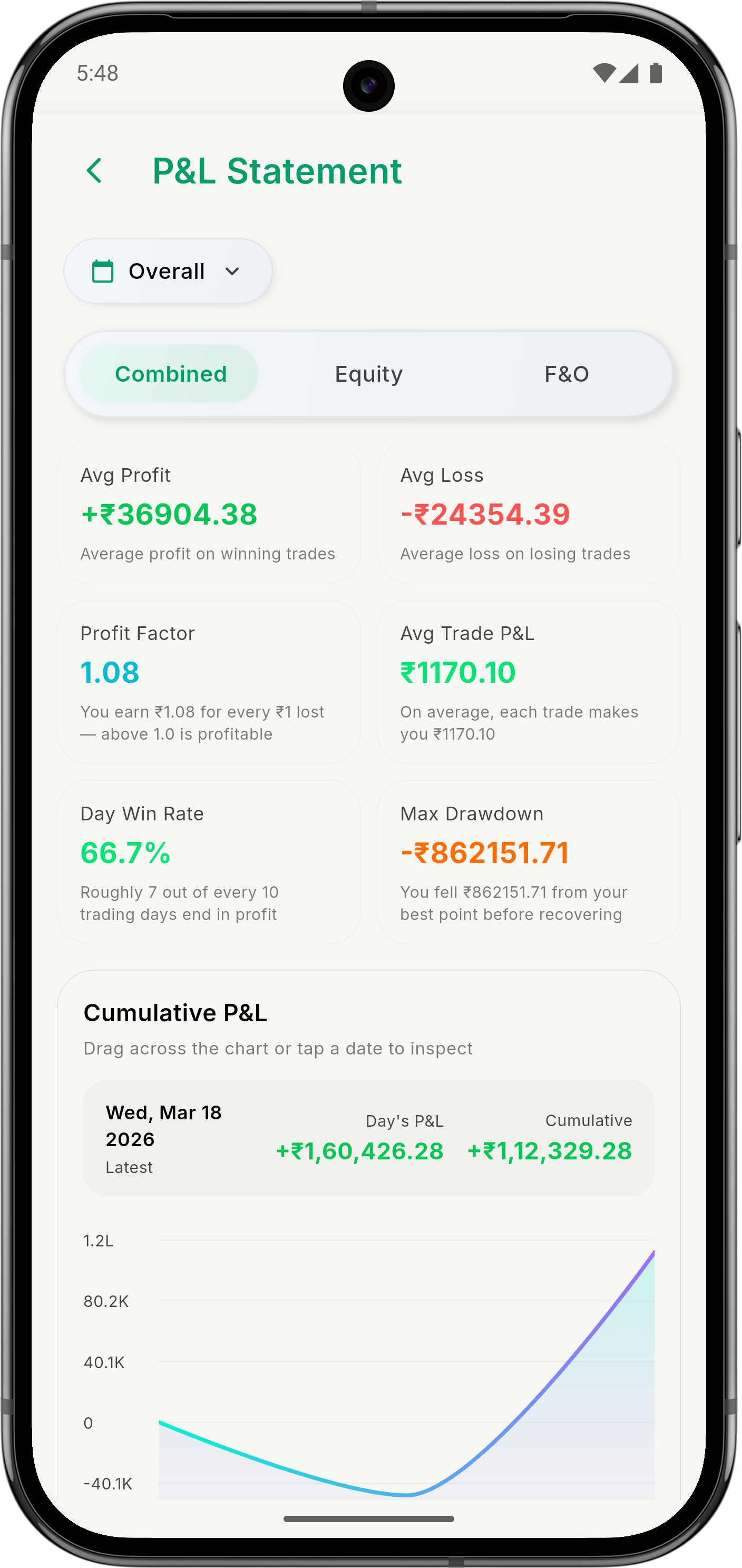
Orders, Portfolio, and P&L are where the trade becomes measurable.
The simulator gets more useful when the session ends in review instead of memory.
Orders, positions, Portfolio, and P&L keep the result visible after the trade.
Orders and positions: See what actually happened after entry instead of guessing.
Deeper review: Pro adds deeper P&L breakdowns for clearer post-trade review.
PortfolioP&L review
Replay lets you run the same move again without waiting for the market.
Replay Trading lets you go back to the date, switch futures or options mode, and
work the same move again when the first session was not enough.
Free plan: Replay up to 2 lots at up to 5x speed.
Pro depth: Replay up to 10 lots at up to 24x speed for more demanding practice.
Replay Trading1x to 24x
Start with context
Use Watchlist, Today’s Market, ADR, Heatmap, Global Indices, or Option Chain before you commit.
Take the trade
Move into chart-based simulated execution once the setup is worth acting on.
Replay and review
Finish in Replay, Orders, Portfolio, and P&L so the session produces a lesson, not just a result.