
Check the price level before placing the order.
The candle, price level and order controls stay together while you decide where to enter.
When the setup is on the chart, the order should be there too. Choose buy or sell, set the quantity and entry type, then keep an eye on the average price, stop-loss, target and running P&L from the same screen.
Orders, funds and P&L in ZeroStake are virtual. Available controls vary by instrument and app version.
Chart-based paper trading
Open an available stock, index, future, option or selected MCX contract, then place and manage the position beside the candlestick chart.
The candle, price level and order controls stay together while you decide where to enter.
Choose buy or sell, set the lots, check the estimated margin and use a market or limit entry.
Add or adjust the available stop-loss, target and trailing stop controls against the price.
Keep the selected contract, lots, average entry and running P&L beside the chart.
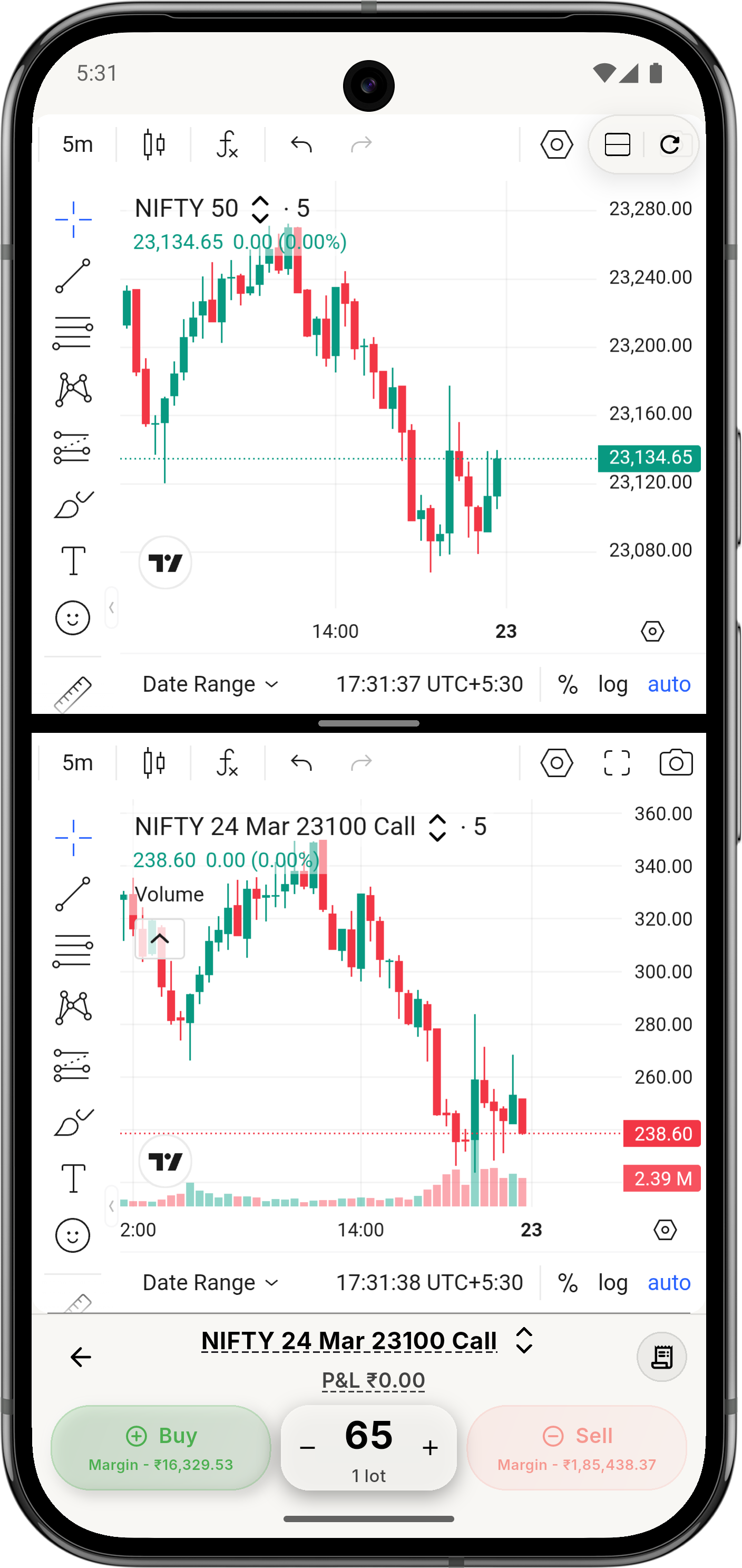
Place the order, follow the position and adjust available levels without closing it.
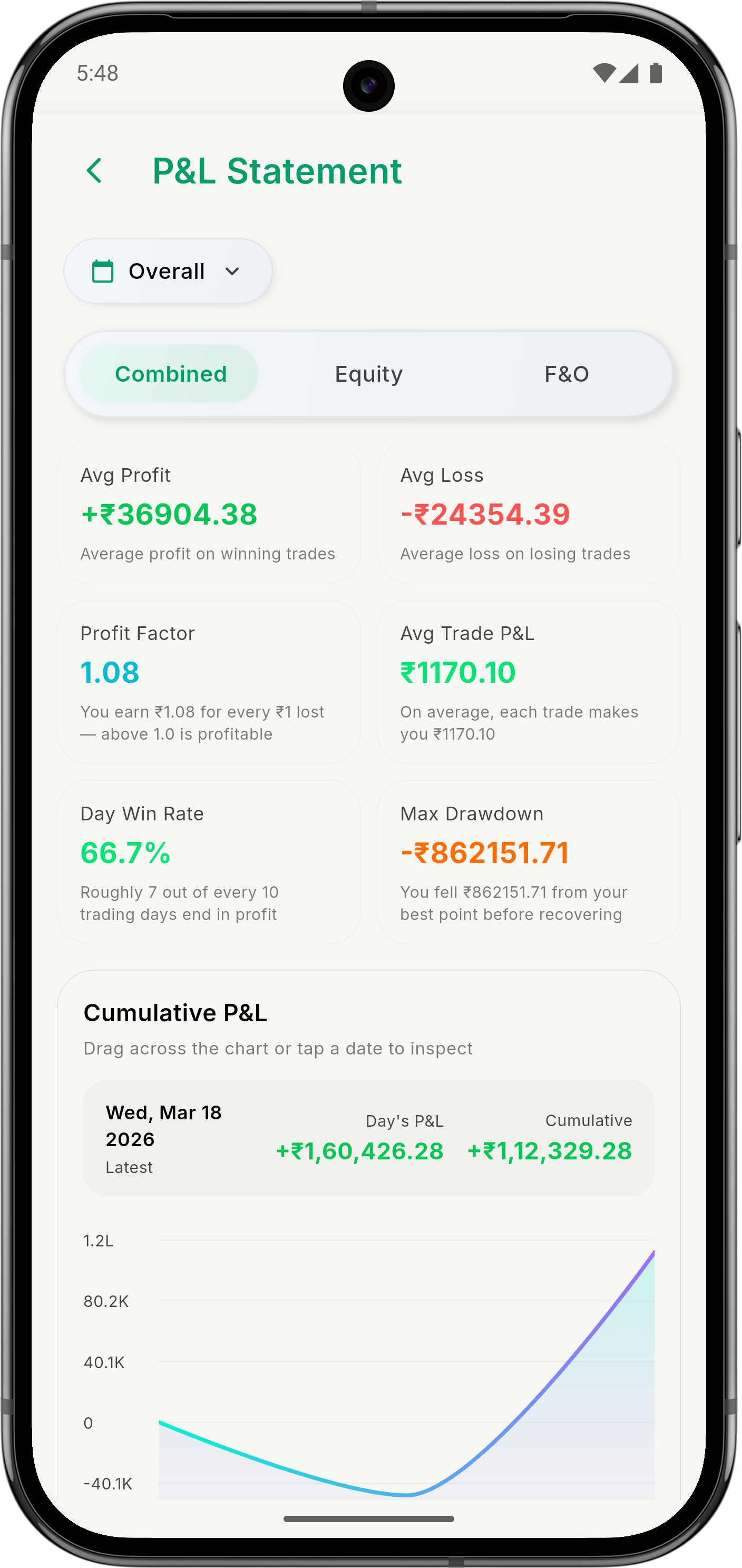
After closing the position, find the order record and its P&L in your history.