
In many trading apps, the chart disappears right when the decision matters most.
Trade on Chart keeps the setup in front of you from entry to exit, so you are not trading off memory two taps later.
Many trading mistakes happen after you decide to enter. ZeroStake keeps the chart, your simulated position, and your risk on one screen so you can place the trade, manage it, and review it later without guessing what the market looked like.

Install ZeroStake from Google Play. ZeroStake is a simulator, not a broker.
Trade on Chart keeps the setup in front of you from entry to exit, so you are not trading off memory two taps later.
Keep the price action visible while you manage the trade. Pro adds limit, SL, TGT, and trailing SL directly on the chart.
Position size and running simulated P&L update on the same screen, so you can judge the trade while it is still unfolding.
Replay and review help you separate a bad read from bad timing, bad stop placement, or bad size.
Start with Watchlist, Analyze, or Option Chain so you know why the trade is worth taking.
Enter, manage risk, and watch the open position without switching away from the move.
Replay the session and compare it with Orders, Portfolio, and P&L while the mistake is still fresh.
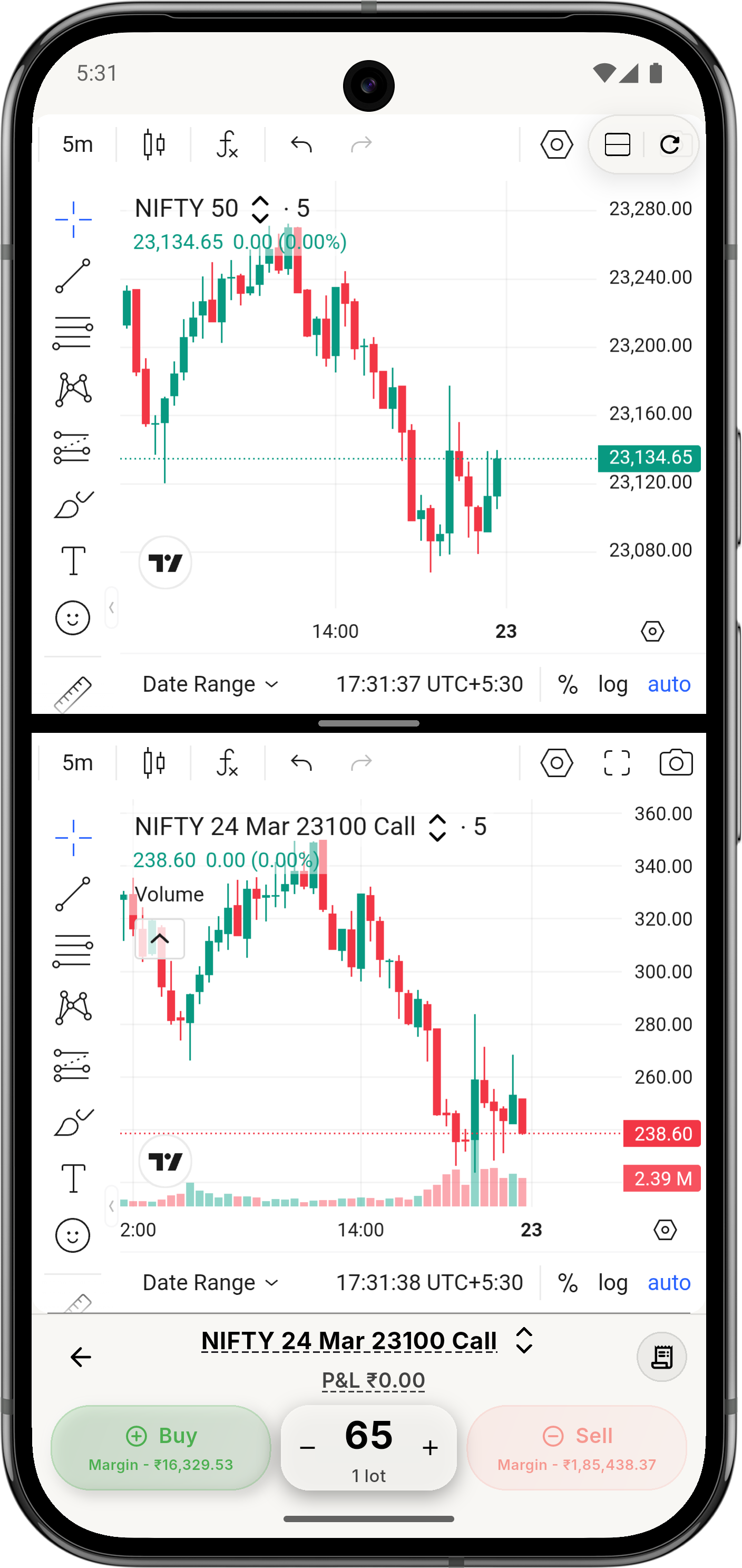
Enter, manage, and track the trade without losing the picture that made you take it.
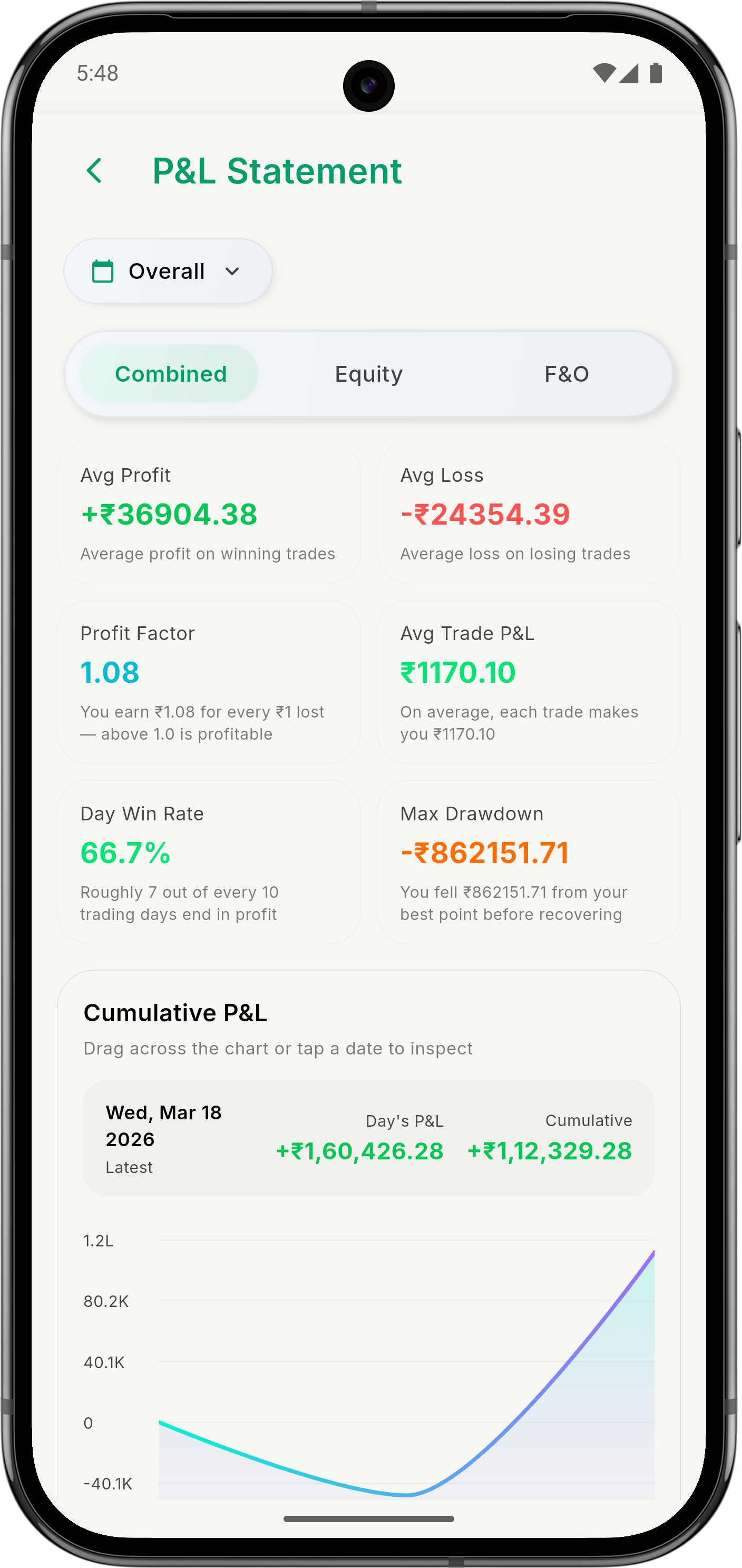
See whether the real mistake was entry, stop placement, exit timing, or size.
Because the chart stays visible while you place and manage the simulated trade. You are looking at the move itself, not just numbers inside a form.
Trade on Chart lets you manage the open trade while the chart stays visible. Pro adds limit, stop-loss, target, and trailing stop directly on the chart.
It is most useful for traders who know their idea is often fine, but the execution breaks down at entry, stop placement, exit timing, or position size.
No. ZeroStake is a simulator. Trades, funds, and P&L in the app are simulated.
See what’s included in Free and Pro, including on-chart controls and deeper replay.
Run the same setup again when the idea was right but the execution was bad.
Start with virtual funds if you want lower-pressure practice before you focus on execution.